Free task organizer app, solo or with your group
Organize your tasks for free in your browser. Start solo and invite family, a partner or flatmates when you want. No card needed.
Read page →A Microsoft To Do alternative built for small groups: tasks with an owner, shopping lists kept apart and expenses showing who pays whom.
Microsoft To Do is a good tool: it breaks each task into steps, sets due dates, reminders and repeats, takes file attachments of any type and lets you share a list with an invitation link and assign tasks to its members. Its organization revolves around task lists. When a group handles household tasks, the shopping, the trip packing and shared costs all at once, it helps to give each one a space designed for it.
Tasks4Us organizes the group into three kinds of space that do not mix: task groups with an owner on each task, item lists for the shopping, packing or presents, and shared expenses that tell you who pays whom when you close the account. To add someone, just send them a link: they can look around the group before deciding and sign in with Google or Microsoft to take part. Changes reach every member instantly, and the photo of the receipt or the product stays on the exact item.
Tasks4Us turns scattered messages into shared, visible actions so the group knows what is pending, who owns it and what is already done.
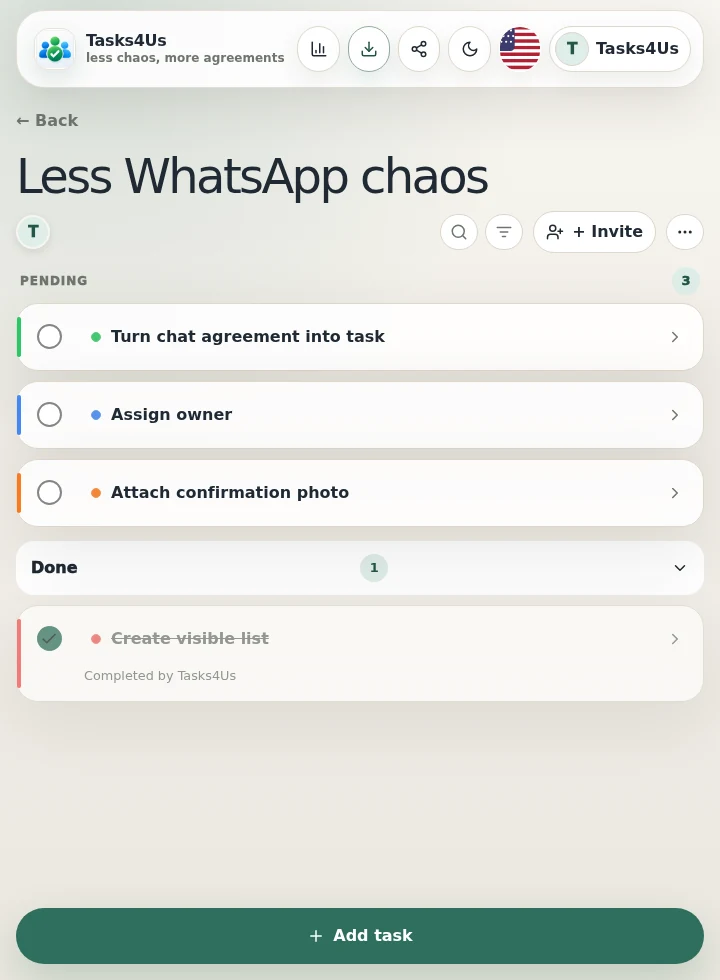
If you mostly organize your own tasks with reminders and steps, Microsoft To Do serves you well. Tasks4Us fits better when you coordinate a small group and want tasks with an owner, the shopping list and shared expenses in the same place.
Of course. They do not rule each other out: you can keep your personal tasks in To Do with their steps and reminders, and bring to Tasks4Us what you organize with other people, like the home, the shopping or a trip.
Open the group, copy the invitation link and send it by email, by WhatsApp or whatever channel you normally use. When they open it, each person can look over the group without signing in and, if they want to join, signs in with their Google or Microsoft account.
You can use it for free: the Free plan has no end date, asks for no card and lets you create all three kinds of group within your account limits. If you need more of your own groups or more storage, Plus and Pro are billed yearly; current prices are on the home page.
Yes. In a shared expenses group everyone logs what they paid up front and, when you close the account, you see at a glance who pays whom. It lives in its own group, apart from tasks and lists.