
Share task, list and expense groups
Tasks4Us lets you create shared groups for tasks, lists and expenses, invite people and keep it clear what is pending, who takes part and what is already solved.
Read page →Organize your tasks for free in your browser. Start solo and invite family, a partner or flatmates when you want. No card needed.
Tasks end up scattered across phone notes, papers on the fridge and chat messages. Your own things go in one place, household jobs in another, and when you want someone to help you have to copy everything or repeat it on WhatsApp.
Tasks4Us is an online task organizer that works in the browser on your phone and computer. Create a task group or a list, use it on your own and, when you need to, invite other people with a link. Each task can have an owner and photos, and done work moves away from what is pending.
Tasks4Us turns scattered messages into shared, visible actions so the group knows what is pending, who owns it and what is already done.
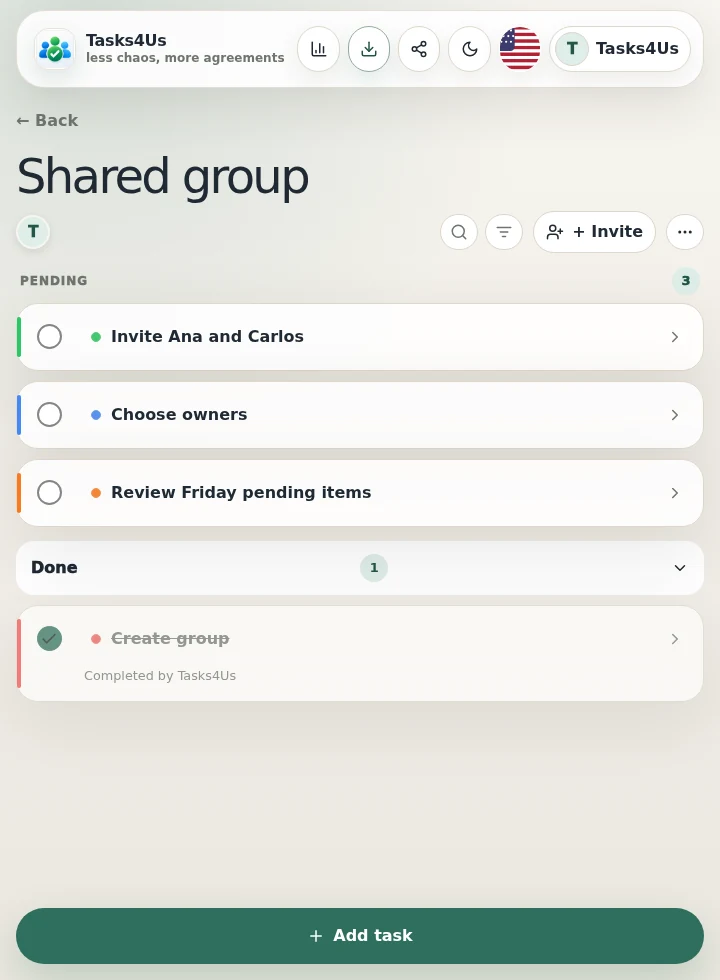
Tasks4Us is a free task organizer: the Free plan is permanent and needs no card. Sign in with Google or Microsoft, create your group and use it solo or invite other people whenever you want.
Yes. The Free plan is permanent, not a trial that runs out. You can create task groups, item lists and shared expenses within your account limits. If you ever need more, you can move to Plus or Pro, but you do not have to.
No. You sign in with your Google or Microsoft account and start on Free without giving any payment details. You do not have to create a new password either.
Yes. You create your own group and use it just for yourself, without inviting anyone: pending work on top, done work set aside and photos attached to each task. If one day you want to share it with your partner, family or flatmates, you send them the invitation link.
Yes, as an installable web app. Tasks4Us works in the browser on your phone and computer, and you can install it on your home screen from the browser itself to open it like any other app, without going through any store.
The Free plan has a cap on groups of your own. If that falls short, Plus and Pro add more of your own groups and more storage, and Pro includes templates. Both are billed yearly, and you can start on Free and change plan only when you need to.