Free task organizer app, solo or with your group
Organize your tasks for free in your browser. Start solo and invite family, a partner or flatmates when you want. No card needed.
Read page →Looking for a Google Tasks alternative for sharing? Tasks4Us lets you share tasks with an owner, lists and expenses with your people. Free, no card.
Google Tasks works very well for personal use: subtasks, a date and time, details on each task and access from Gmail and Google Calendar. The challenge comes with sharing. According to its official help, shared tasks are created and assigned inside a Google Chat space or a Google Docs document, and in Docs only on eligible Google Workspace plans. The same help also notes that shared tasks cannot repeat.
Tasks4Us starts from the group, not the single task. You create a group for the home, the shopping or the trip and send the invitation link wherever you already talk; whoever opens it sees a preview of the group before joining, without signing in. Inside, each task has its owner and can carry a date and a daily, weekly or monthly repeat, even when the whole group shares it. The shopping goes in a separate item list and shared costs in their own group, with the who-pays-whom split.
Tasks4Us turns scattered messages into shared, visible actions so the group knows what is pending, who owns it and what is already done.
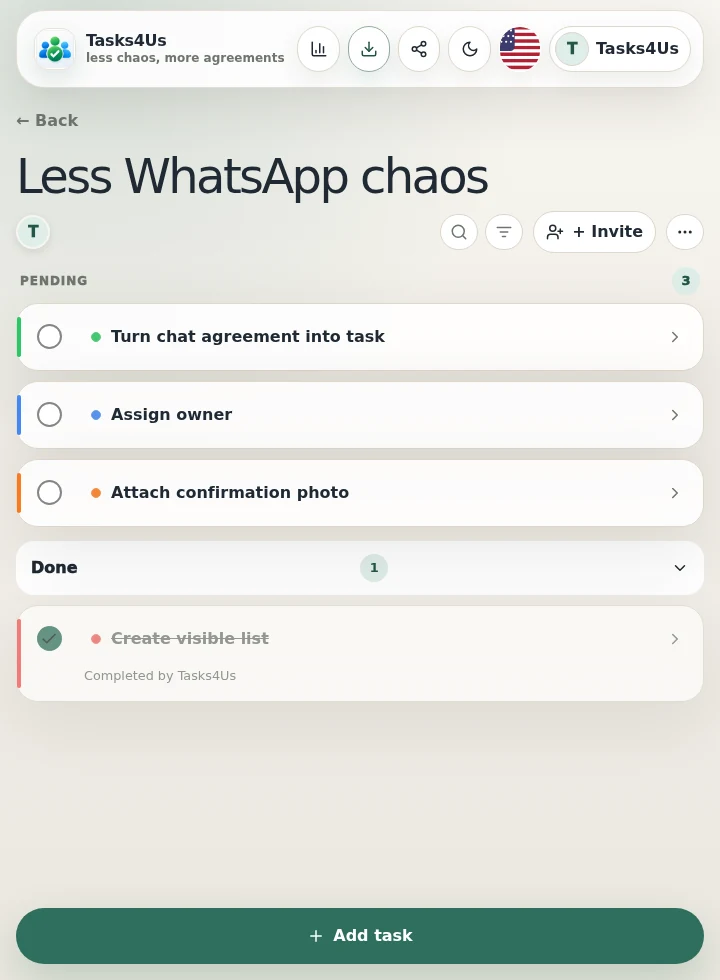
Tasks4Us suits you better than Google Tasks when what you need is to coordinate a small group: tasks with an owner, lists and expenses in one place. If you only organize your own tasks next to Gmail and Calendar, Google Tasks already does the job.
Yes. They are independent tools and you do not have to choose. A practical way to combine them: your personal list stays in Google Tasks, next to Gmail and Google Calendar, and whatever you share with your partner, family or friends goes into a Tasks4Us group.
Their usual Google or Microsoft account will do. And before joining, opening your link already lets them take a look at the group without signing in.
Yes. You start on the Free plan, which does not expire or ask for payment details, and on it you can create task groups, lists and expenses within your account limits. Plus and Pro are there for whoever needs more groups or more storage, but they are optional.
No. Tasks4Us opens in the browser on your phone or computer. If you want it one tap away, install it on your home screen from the browser menu, as a web app.