Free task organizer app, solo or with your group
Organize your tasks for free in your browser. Start solo and invite family, a partner or flatmates when you want. No card needed.
Read page →Create your to-do list in Tasks4Us: free, in your browser and with photos on each task. Use it on your own or share it whenever you want.
A to-do list usually fails for three reasons: it lives in several places at once and you never know which one is current; done items sit next to pending ones until you cannot see what is left; and whatever comes back every week or month has to be written down again by hand. In the end the list grows, you stop looking at it and things get forgotten.
A good to-do list lives in one place, has one task per concrete action, a date on whatever has one and done work out of sight. In Tasks4Us that list is a task group you keep to yourself for now: what is left sits at the top and each finished task moves to one side. Anything that repeats, like paying a bill or watering the plants, gets a date and a repeat, and the photo of the quote or the receipt stays attached to its task.
Tasks4Us turns scattered messages into shared, visible actions so the group knows what is pending, who owns it and what is already done.
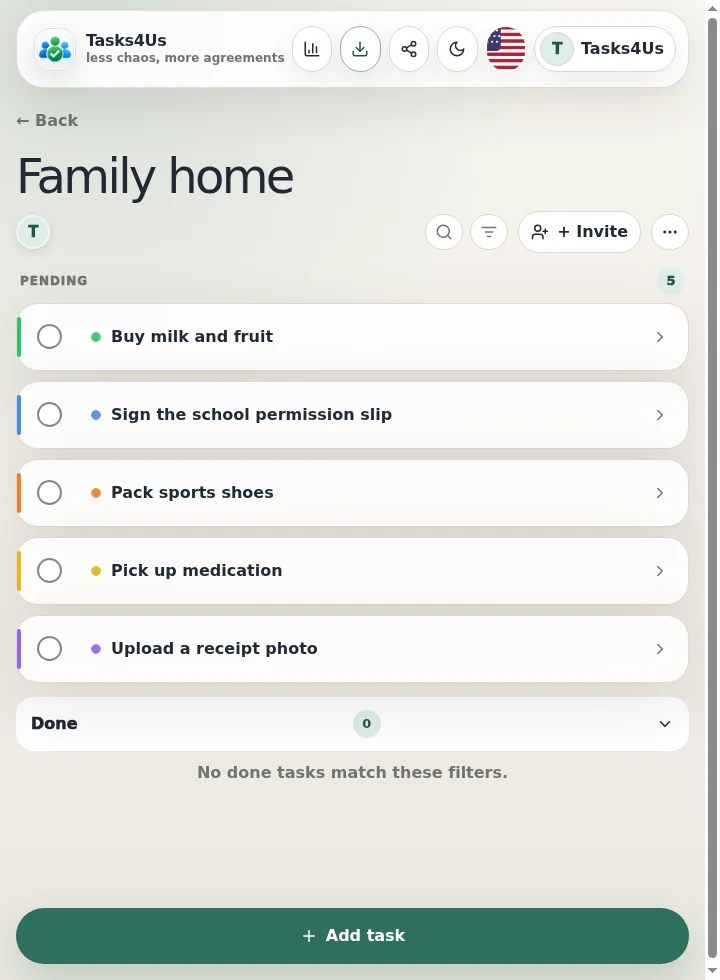
For a to-do list to get done, write each task as a concrete action, give it a date if it has one and move aside what is already done. In Tasks4Us you do it in your own group, free and in your browser; if someone helps you later, they join that same list.
Write each task as a concrete action you can finish in one go: “call the plumber” instead of “fix the bathroom”. Put a date on whatever has one, set a repeat for whatever comes back every week or month and check the list every day. When you finish something, mark it as done and it stops taking up room on the list: you only see what you have left.
Yes. You set up a task group and invite nobody: it works as your personal list. If at some point you need someone to take care of something, you invite them to that same group, make them responsible for that task and they find the list as you left it, with its dates and photos. From then on you both see every change instantly.
Your groups are only for the people you invite. If you send nobody your link to join, your to-do list is yours alone. Keep in mind that whoever receives it can see a preview of the group before joining, so share it only with the people you choose. Photos are stored inside the task they belong to.
Yes. Open your to-do list in your phone’s browser when you are out and from your computer at home: with the same Google or Microsoft account you see the same tasks. If you use it every day, add it to your home screen using your browser’s own option and it opens like an app.
Each list is a group, either for tasks or an item list such as shopping or packing. For your personal list one task group is enough, and you create it for free with no card. How many groups and how much storage the Free plan includes is shown in the pricing section of the home page.